> For the complete documentation index, see [llms.txt](https://docs.kleos.io/llms.txt). Markdown versions of documentation pages are available by appending `.md` to page URLs; this page is available as [Markdown](https://docs.kleos.io/for-contractors-1/how-to-accept-an-invitation-from-a-company-or-invite-a-company.md).
# How to Accept an Invitation from a Company or Invite a Company
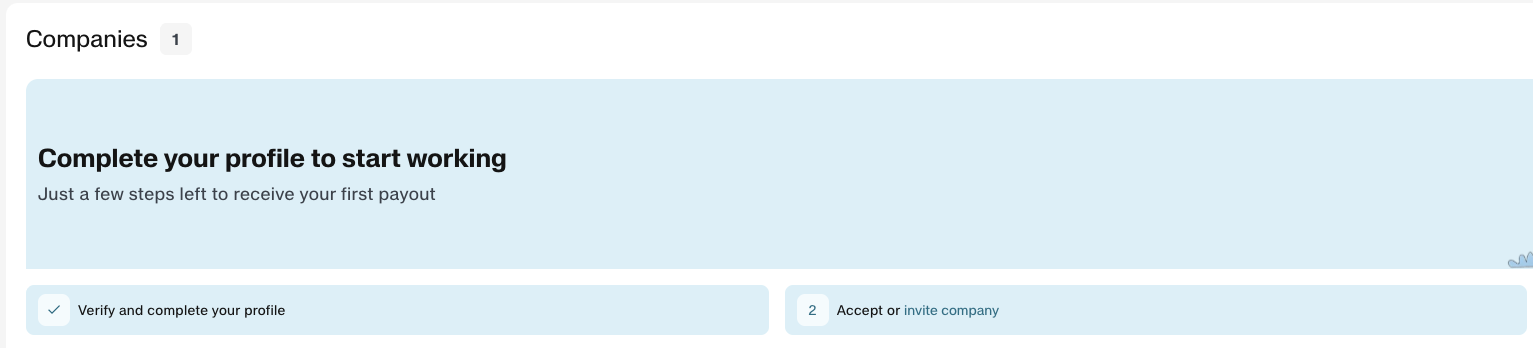
We’ll explain how to complete the second required step — “Accept or invite company”
{% hint style="info" %}
To learn more about how a company can send an invitation to a contractor, see the section [How to Invite a Contractor](/for-companies-1/how-to-invite-a-contractor.md)
{% endhint %}
To receive payouts and withdraw funds through the Kleos platform, you must either accept an invitation from the client Company or invite the Company to join the platform.
## **Accepting an Invitation from a Company**
{% stepper %}
{% step %}
### **Receiving an invitation**
The company sends the invitation through the Kleos platform. The invitation includes:
* the **service role** (your role in the company)
* a description of the services to be provided
* the payout frequency
After that, the invitation will be sent to your email address.
{% hint style="warning" %}
If you have not received the email, please check your **spam** folder.
{% endhint %}
{% endstep %}
{% step %}
### **Log in to Kleos**
* Open the email notification from **Kleos**
* Click **“Accept Invitation on Kleos”**
* You will be automatically redirected to the **Kleos** platform
* Log in using the same email address to which the invitation was sent
After logging in, you will be taken to your personal account, where you can:
* view the Company invitation
* access a checklist of the steps required to receive funds
{% endstep %}
{% step %}
### **Complete your profile**
Before accepting the invitation, make sure your profile is fully completed. This step is important because the accuracy of the information you provide affects:
* the correctness of your agreement with **Kleos**
* the speed and timing of payout processing
For more information, see the section [How to Complete Verification and Set Up Your Profile](/for-contractors-1/how-to-complete-verification-and-set-up-your-profile.md)
{% endstep %}
{% step %}
### **Accept the invitation**
* Go to the **“Companies”** section of the platform
* Find the relevant invitation in the table
* Open the service details page and review the terms of cooperation
* Click **“Accept service invitation”**
{% endstep %}
{% step %}
### **Company Status — Active**
Once you accept the invitation successfully, the Сompany’s status will change to **“Active.”**
This means you can now receive payouts from this company or request them through the platform.
{% endstep %}
{% step %}
### **All set!**
You can now proceed to the next step: **signing the agreement**. For more details, see [How to Sign Your Agreement with Kleos](/for-contractors-1/how-to-sign-your-agreement-with-kleos.md)
We recommend completing all the checklist steps as soon as possible so you can use the Kleos platform smoothly.
{% endstep %}
{% endstepper %}
## How to Invite a Company to the Platform
If your Сompany is not yet on the platform, you can invite them to join.
On the **Companies** page, click **“Invite a company”**
Enter the company’s email address, your role, and the payout frequency, then click **“Invite a company”** to send the invitation.
Once confirmed, the Company will receive an email, and a confirmation window will appear on the screen.